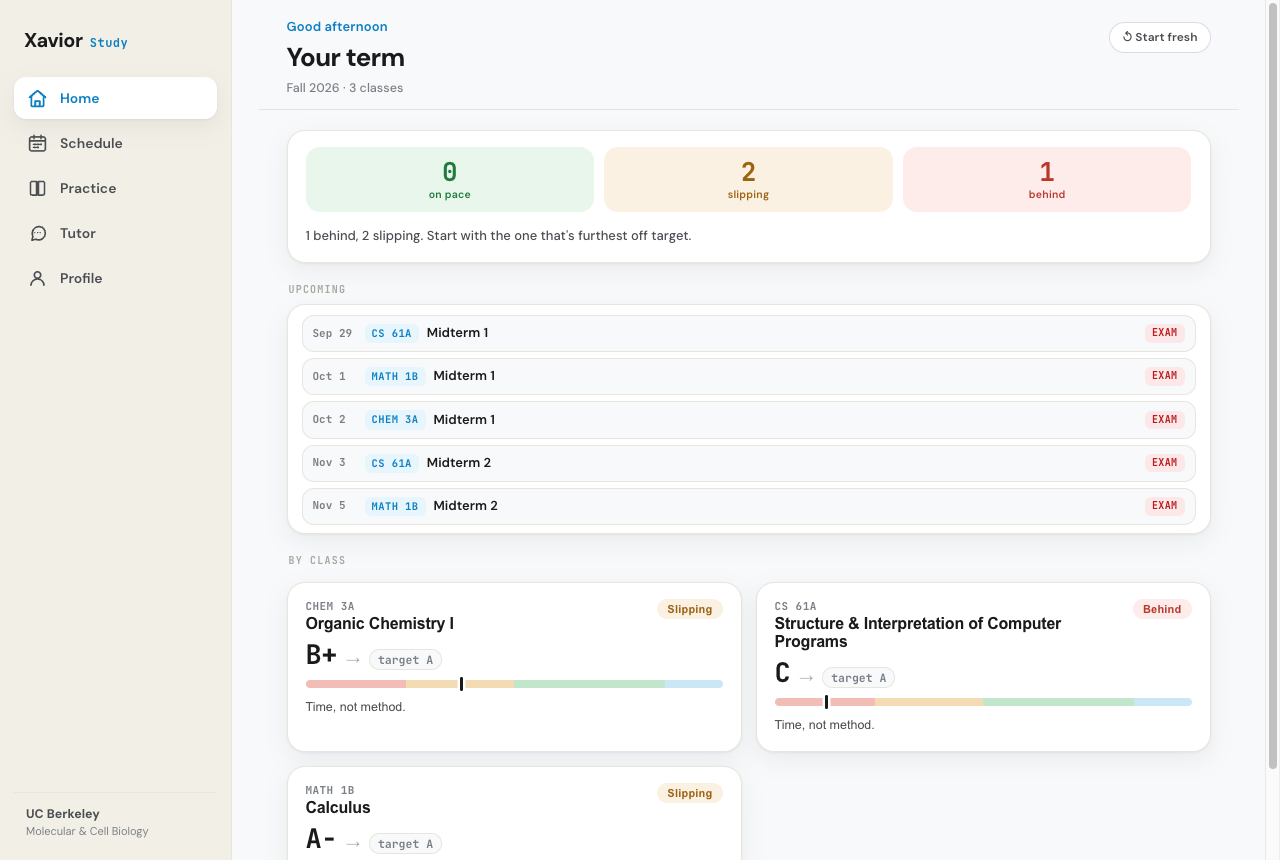
Become the student who's never surprised by a test. Xavior forecasts what's coming and shows you why, then drills you until you can explain it in your own words, not just recognize it. Plus an honest projected grade for every class, so you always know where you stand.
You download and run it on your Mac or PC, so your grades stay on your device. We'll email the download link the moment it's live.
You feel busy all semester. You go to class, do the readings, turn things in. Then the midterm comes back and the grade isn't what you pictured. By the time you know you're off track, the cheap fixes are already behind you.
The problem was never effort. You were flying blind. Here's how Xavior fixes that, from the first day of class to your last exam.
Set up each course in seconds. Name it, pick the grade you're aiming for, and you're in.
The syllabus, problem sets, lecture notes, old exams, even a photo of the whiteboard. Xavior reads all of it and pulls out your grading breakdown and key dates, so there's nothing to set up by hand.
From your real coursework, Xavior builds a plan: what to study, in what order, for the grade you're after, with one honest projected grade per class so you always know where you actually stand.
Log what you studied and the hours you put in. Two taps, and the plan reshapes around it.
Every grade you enter updates your projection in real time. No more guessing whether you're on pace. You see the number, and the plain-English "time, not method" read behind it.
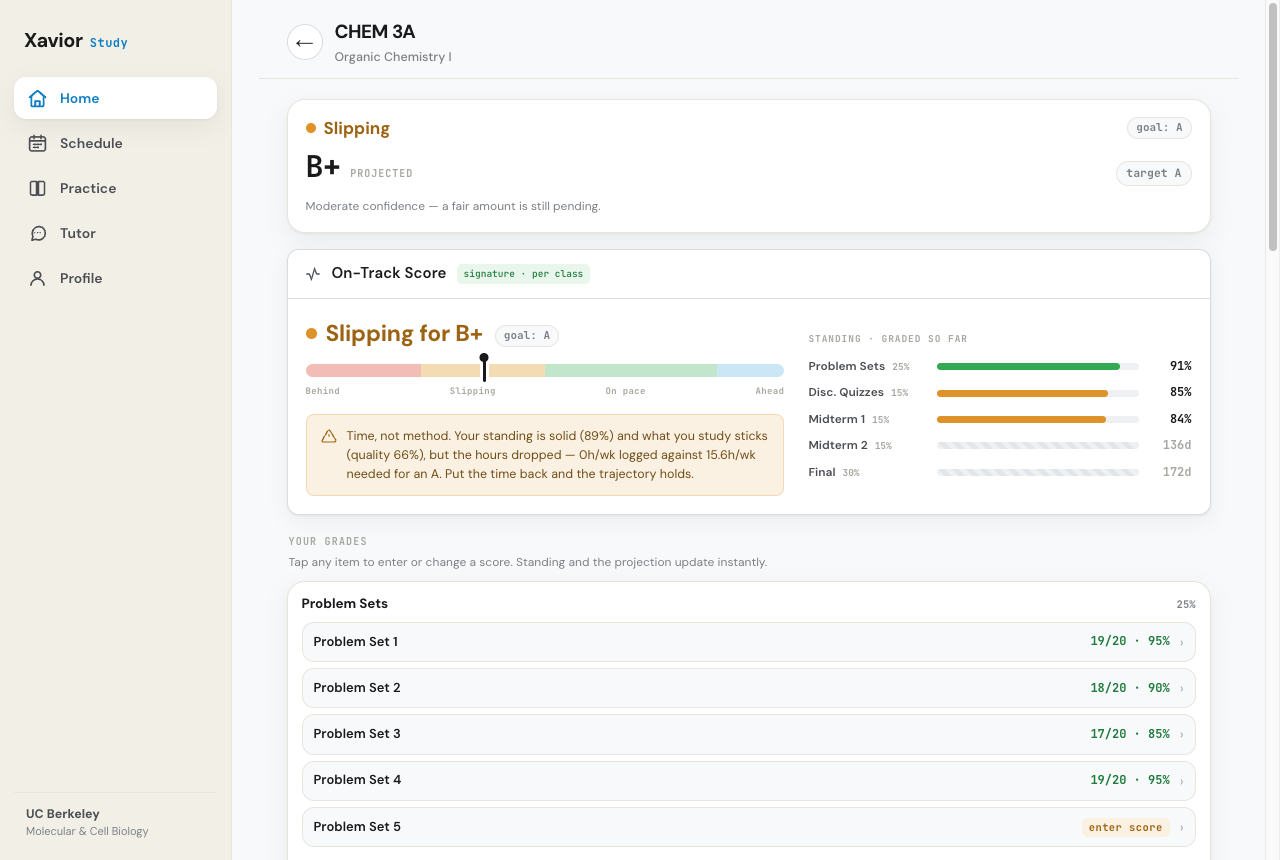
Quizzes and recall built from your own coursework, not a generic bank. Adaptive Learn checks what you know, makes you recall the rest in your own words, and grades you on understanding, not exact wording.
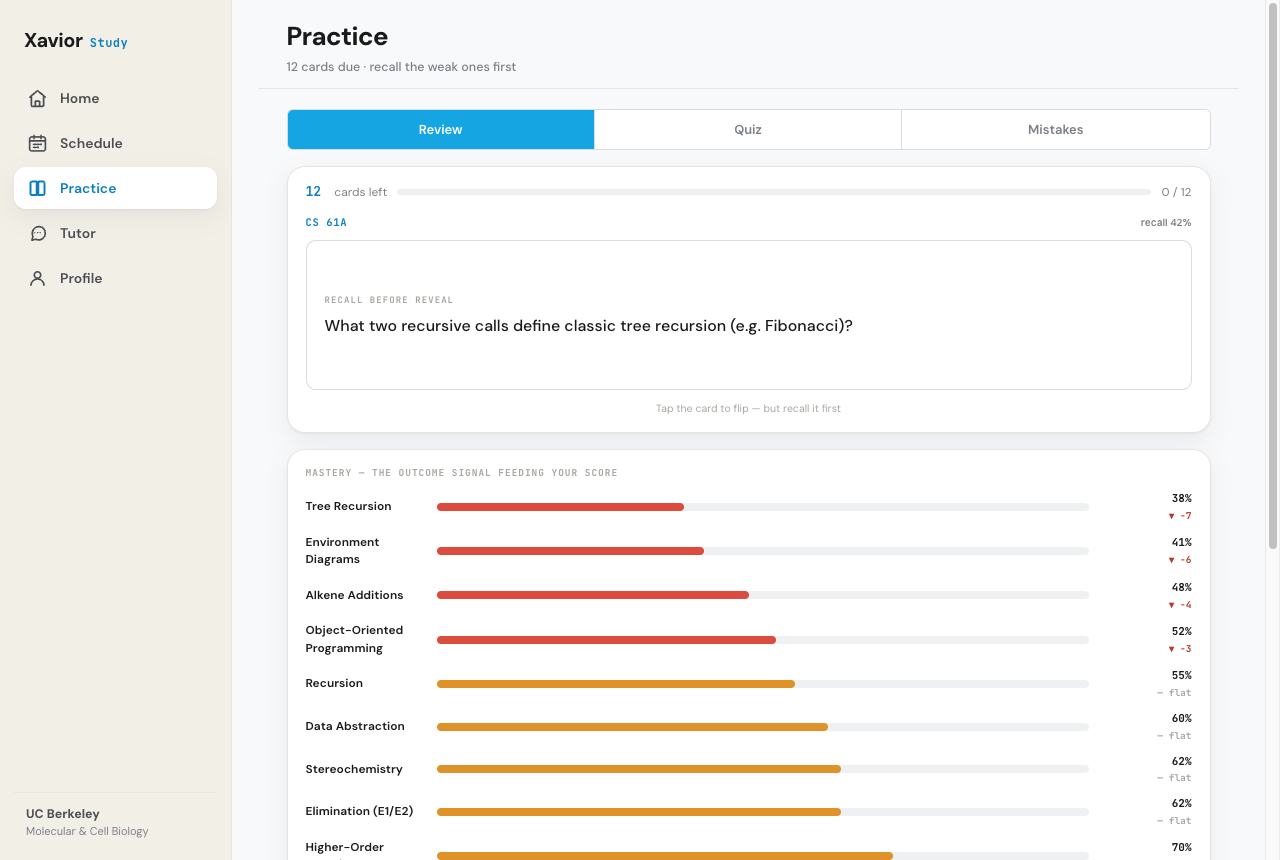
Open an exam or pset right next to a tutor that works it with you, point by point, asking the questions and checking your thinking. You do the work, so you own it, and you build the muscle to solve the next one on your own.
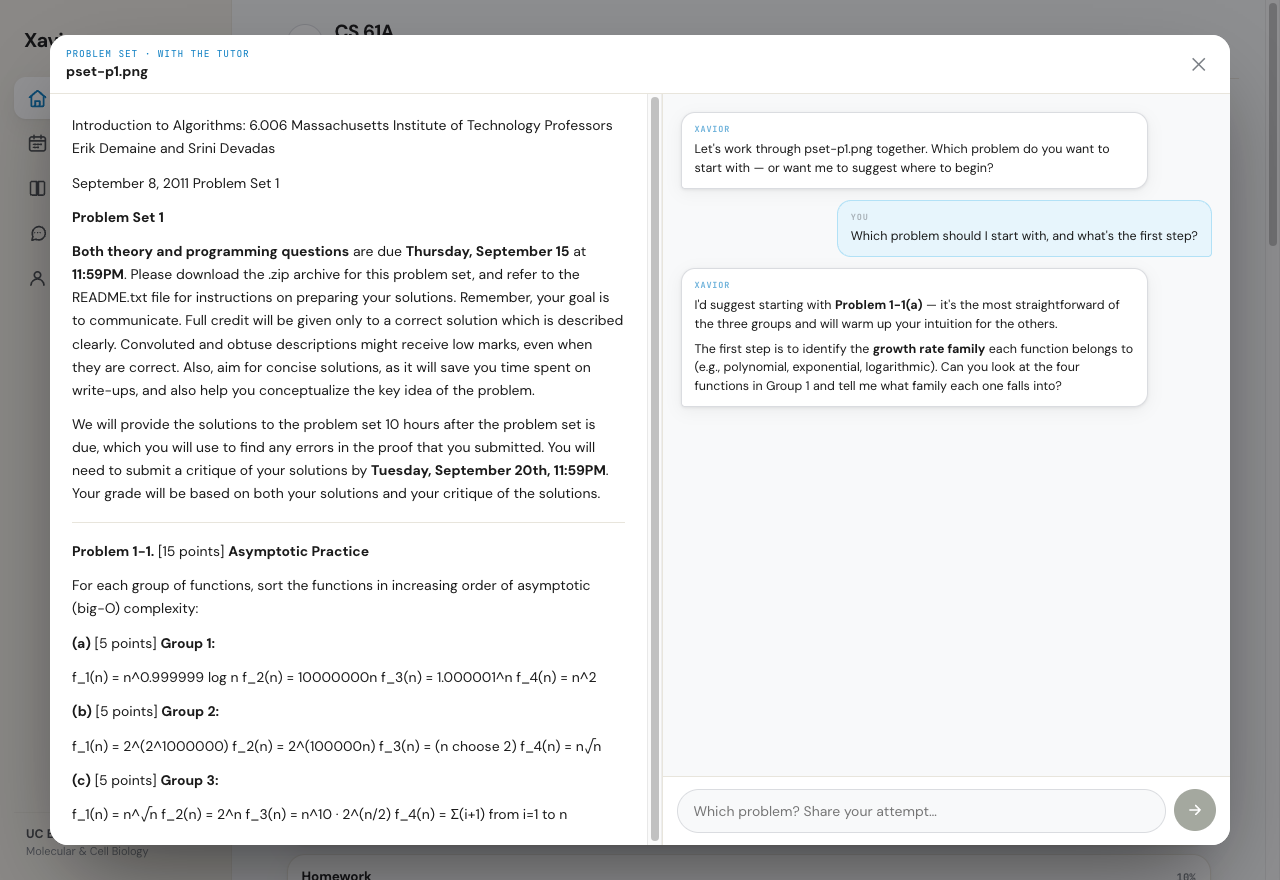
The weak spots and habits that show up in more than one course rise to the top, so you fix the root cause once instead of fighting the same mistake everywhere.
New grades, new dates, a problem set you didn't see coming. Your plan and your projection keep up every week, without you rebuilding anything.
Before each test, Xavior forecasts what's likely to be on it and shows you exactly why, from your syllabus and your materials. Then it drills you on what'll move your grade most. No cramming. No surprises. Just the test you already prepared for.
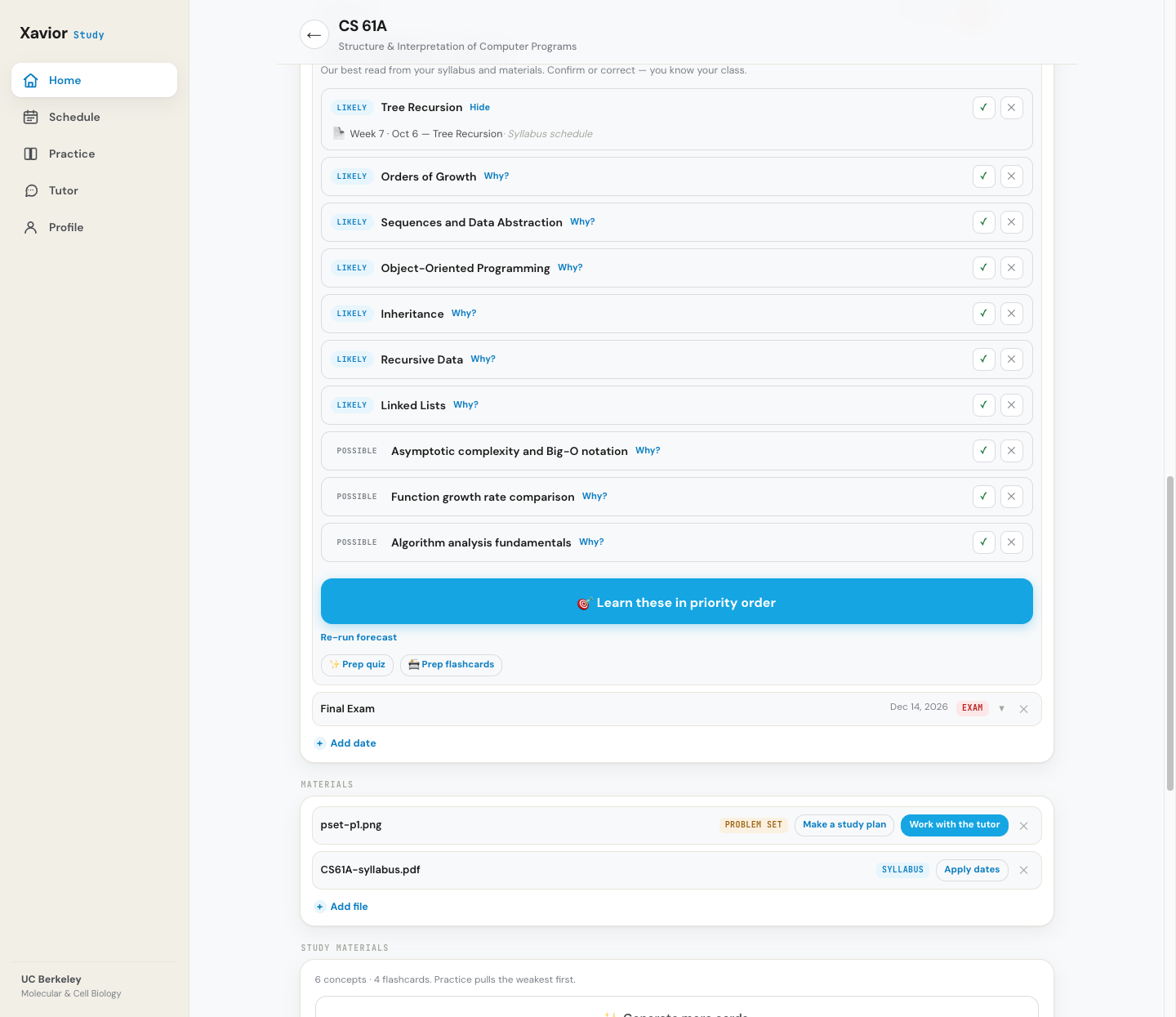
The point was never to finish the assignment. It's to walk into the exam knowing the material cold. Everything Xavior does is built to get you there, not to do it for you.
Free to download at launch. The AI add-on is optional, or bring your own Claude API key and pay Anthropic only for what you use.
Free to download at launch — for a short time.
Or bring your own Claude API key. You pay Anthropic for your own usage (usually a few dollars a month), with no subscription to us.
Xavior Study launches next week. Get the email the moment it's live.